What you can do
- Send a message — say hello, ask a question, pitch a project
- Book a meeting — 15-minute intro or 30-minute briefing, calendar invite sent automatically
- Check availability — see open meeting slots before booking
How to add it
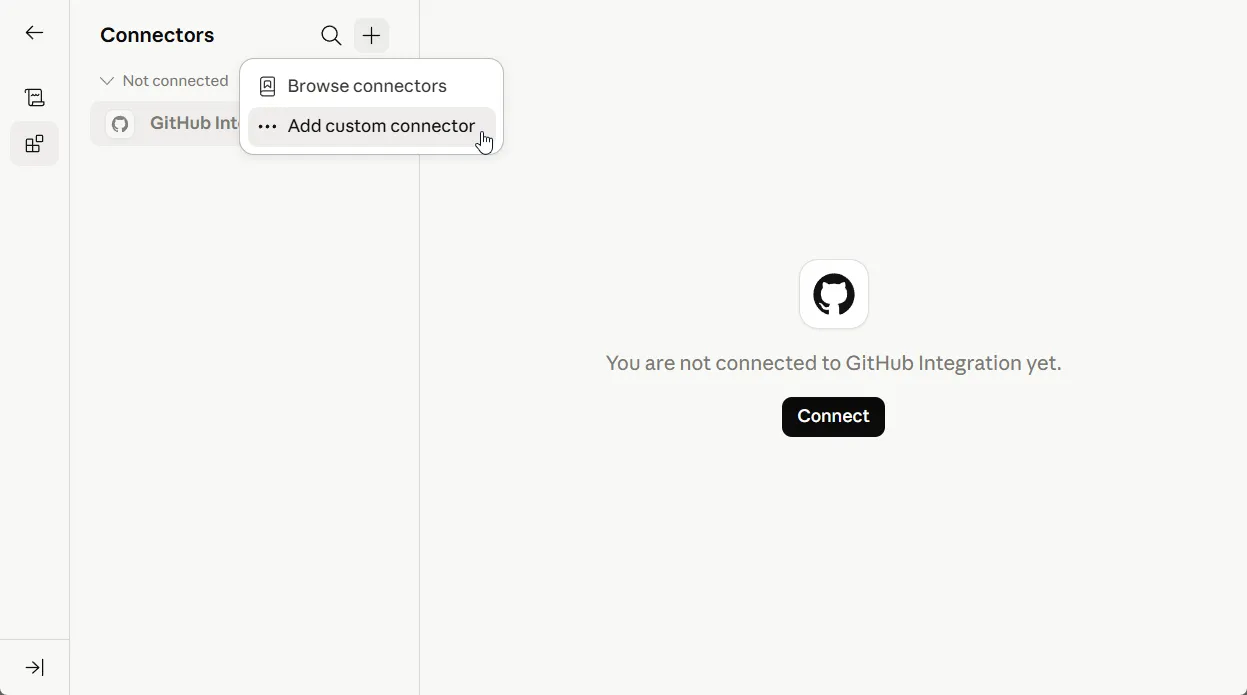
- Open Customization → Connectors in Claude
- Click Add custom connector
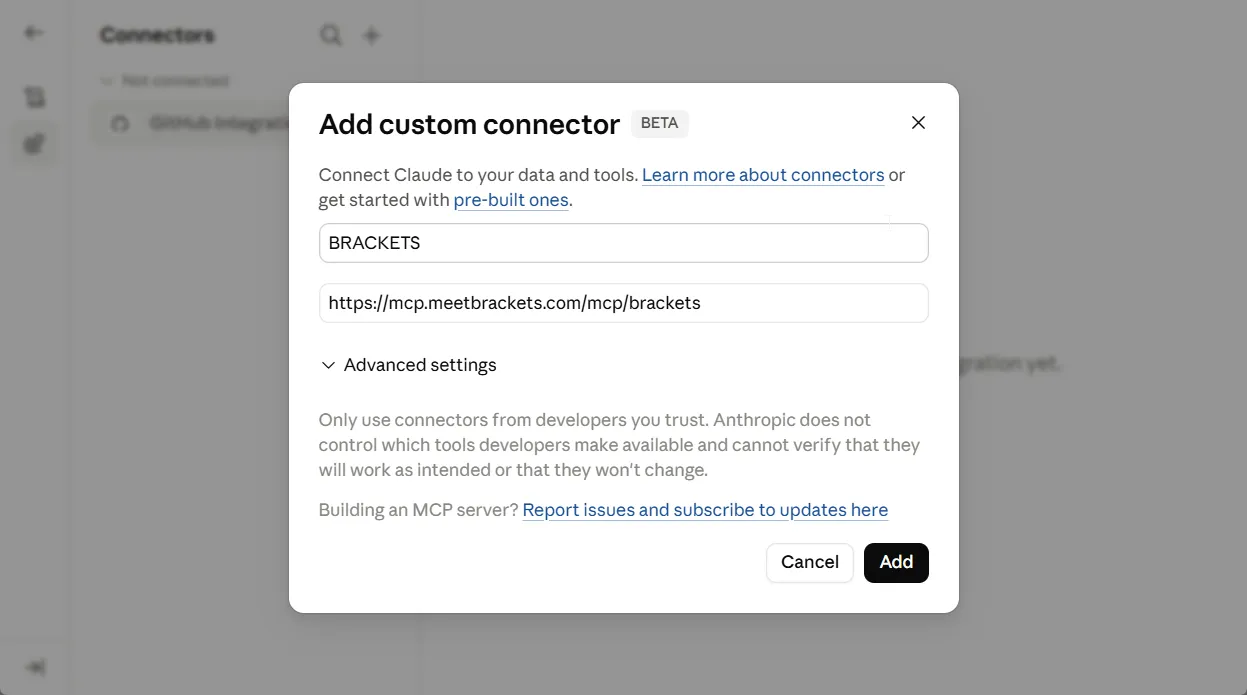
- Paste the server URL
https://mcp.meetbrackets.com/mcp/brackets - Click Add
Try it
Once connected, ask Claude to do any of these:
– "Send a message to BRACKETS, looking for a partner to build the mobile app we've just discussed"
– "Ask BRACKETS if they do AI assistants for both web and mobile platforms"
– "Book a meeting with BRACKETS next Thursday"